E92 bluetooth retrofit issues

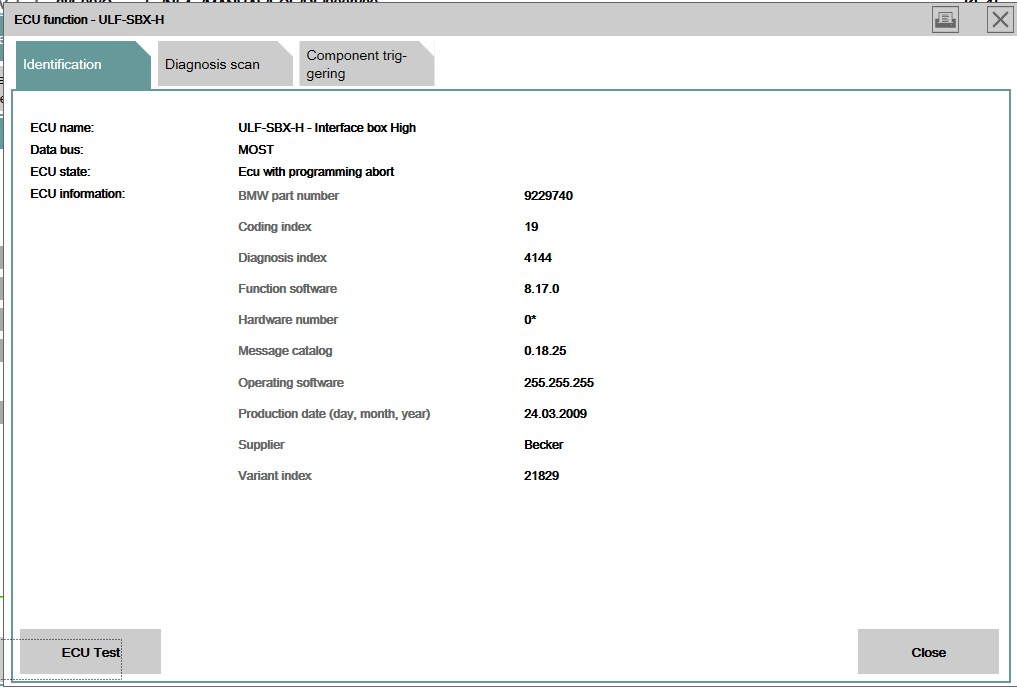
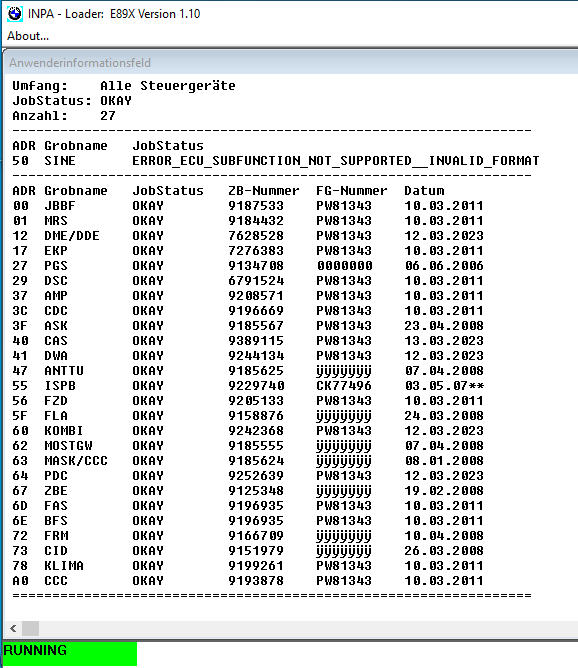
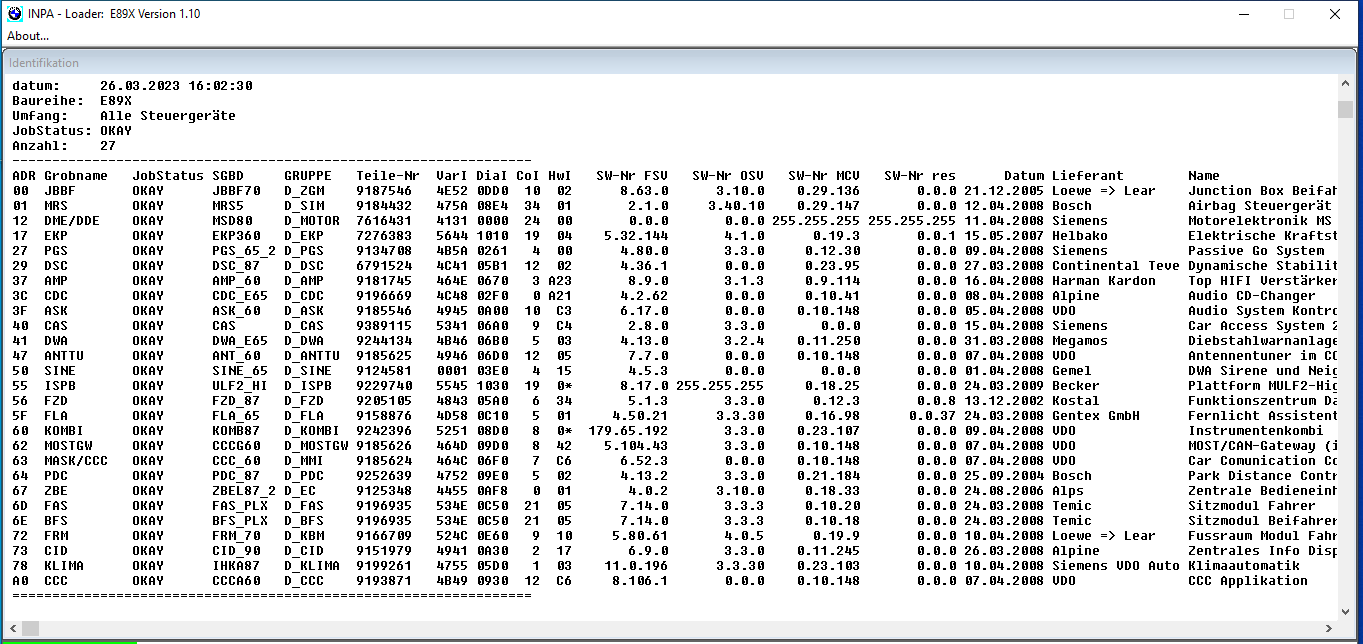
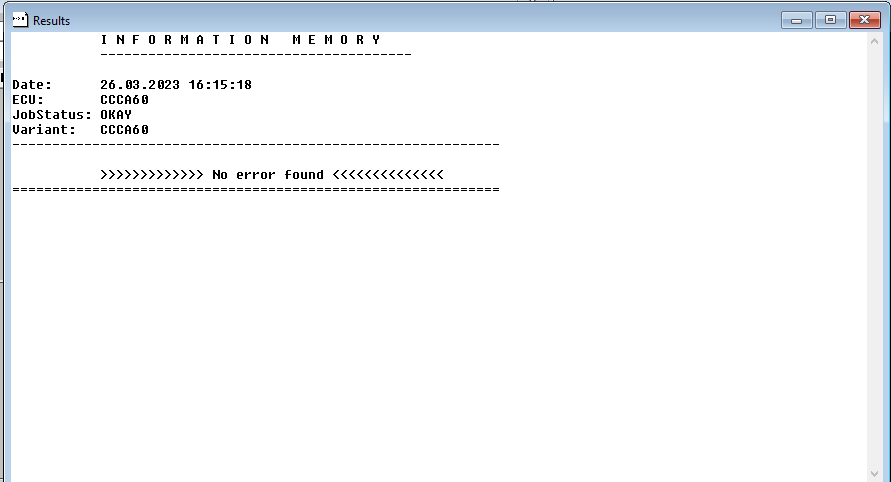
Hi all, I am having an issue with a Mulf2 High retrofit issue, vehicle is a 2008 E92 335i, vehicle was built with Sa640 option so vehicle was pre-wired for Mulf2, I had to file down the white connector for the mulf,all other connectors fitted without any modification, I added sa644 and $6fl ,I now see the bluetooth option on my iDrive system but cannot switch the bluetooth on and the aux/usb does not work,I ran inpa and pulled the vehicle information but don't see the Mulf present, when I run Ista P it gives me am error that there is no communication with ULF-High, I did notice that when I plug in the Mulf the red light goes off after about 10 seconds,this is the second Mulf I have tried, I also changed vehicle production date which did not help,hoping someone can guide me the right direction.
 
Hi, you looking for Bluetooth Audio, or Bluetooth Telephone?

$6FL will be the Arm Rest Aux/USB configuration and communications,
$644 will be the Telephone Preperation for Bluetooth.

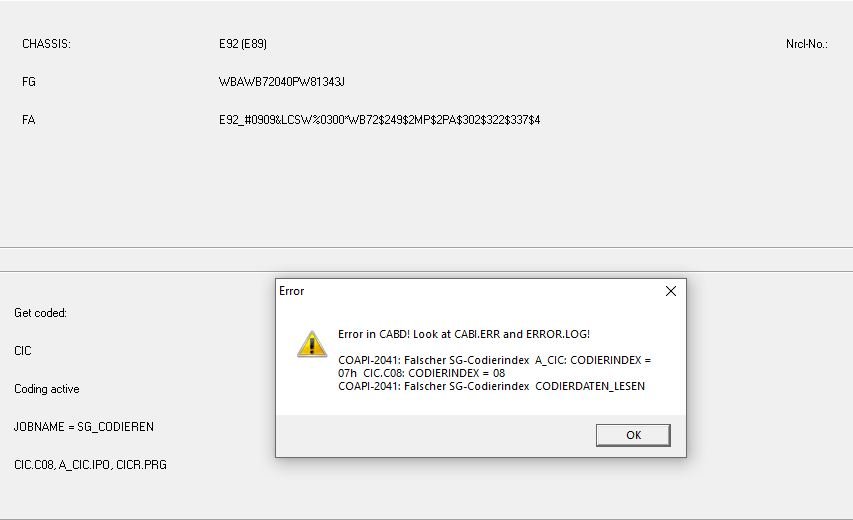
im not too familiar with the MULF2 retrofit, but youd need to default code the CIC from the VO again, and then configure the relevant parameters, if they have been switched off.
 
i have the CCC idrive not the CIC, i have coded the relevant parameters but still cannot communicate with the MULF2, i am thinking it could be a MOST issue because i dont see any red light on the fibre optic cable
 
i have the CCC idrive not the CIC, i have coded the relevant parameters but still cannot communicate with the MULF2, i am thinking it could be a MOST issue because i dont see any red light on the fibre optic cable
The module Configuration should still be the same (I Code with ProTools, and the ECU for radio and Entertainments still reads CCC when coding on a CIC)

Has the MOST cable been bent sharply in anyway that could indicate the Fibre Optic broke?
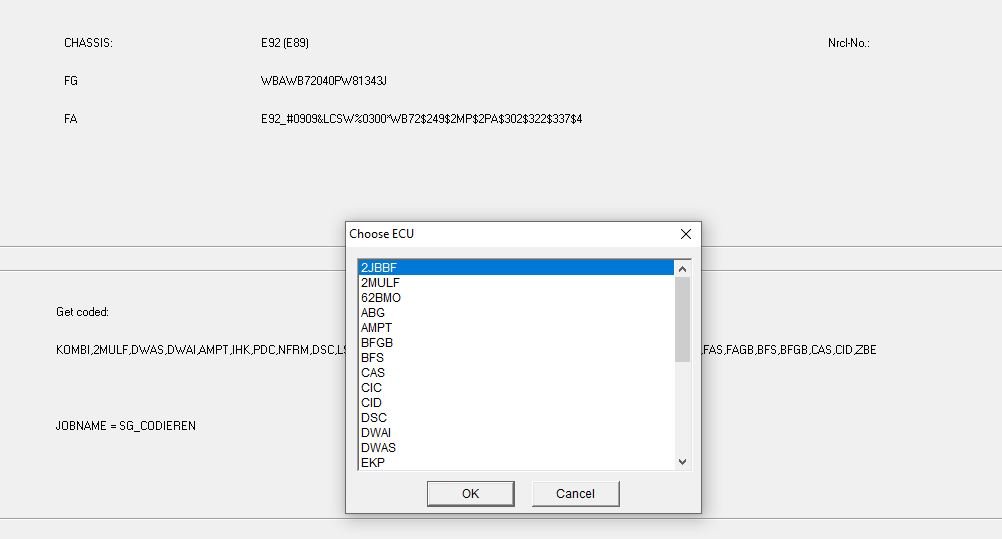
Ive read that when using NCSExpert, there is a order in which it must be done, SG_Codieren to CAS, then to FRM, or FRM then CAS, so its been recommended that VO Code to CAS, then to FRM, then to CAS again and again to FRM. long way i know, but sounds like its taking out specific ordering in a way.

What area you in?
 
no the Fibre optic cable has not been bent sharply, i am in IT and i know how sensitive Fibre can be, in all honesty i cannot remember what order i did it, i probably started with CAS, i followed the same process from a youtube post, would i need to make any changes to the MOST distribution ?
I am in Durban
 
Im not sure if anything needs to change on the MOST distribution, i would revert back to stock on the coding side, and restart from scratch again to make sure everything is in place
 
so you think i should remove $644 and $6FL and revert to original build date ? do you perhaps have a procedure i can follow if its not too much to ask, i dont want to stuff something
 
yea id recommend that.
Also, make sure, when you restarting this process, that you write the build date first, make sure thats changed, then add in your $644 and $6FL, as if you try do it all together, ive found that it doesnt always save it right, it needs the Date saved and confirmed before you go ahead and add the Config numbers.

Thats as much as i can give you on this to be honest. Good luck
 
OK made some progress, the issue was on the MOST circuit, I moved the fibre cables to the live MOST distribution block and got the MuLF to communicare ISTA and I can now see the MULF and can turn on the bluetooth on the headunit but still no bluetooth network or USB, I hit a major hurdle when I ran winkfp to update zusb, when I ran prog on winkfp it was stuck on 0% for about 5 minutes then crashed now the fuel pump runs as soon as the ignition is on and I have dsc warnings 😞
 
OK made some progress, the issue was on the MOST circuit, I moved the fibre cables to the live MOST distribution block and got the MuLF to communicare ISTA and I can now see the MULF and can turn on the bluetooth on the headunit but still no bluetooth network or USB, I hit a major hurdle when I ran winkfp to update zusb, when I ran prog on winkfp it was stuck on 0% for about 5 minutes then crashed now the fuel pump runs as soon as the ignition is on and I have dsc warnings 😞
Congrats on the progress,

With regards to the WinKFP crashing, was the car connected to a charger during this coding? or did the Ignition go into Sleep mode, which i know happens after a while, (Generally see it by looking at the fuel Gauge will read empty like the cars off, have to make sure thats on. otherwise when you code, it has nothing to write to, and could have issues.)
 
i had the battery charger connected on the charging points in the engine bay, it didnt go to sleep mode the Idrive was still on, i just hope i didnt stuff something up , tell me does anything need to be coded on the MOSTGW, another thing i noticed in ISTA was the part number that ISTA picked up was different to the part number on the MULF
 
i had the battery charger connected on the charging points in the engine bay, it didnt go to sleep mode the Idrive was still on, i just hope i didnt stuff something up , tell me does anything need to be coded on the MOSTGW, another thing i noticed in ISTA was the part number that ISTA picked up was different to the part number on the MULF
Alright, as long as the charger was connected.
Try clear all errors. and check the module information is still there.

Nothing needed to be coded on the MOST Gateway i believe.
 

osiris

///Member
OK made some progress, the issue was on the MOST circuit, I moved the fibre cables to the live MOST distribution block and got the MuLF to communicare ISTA and I can now see the MULF and can turn on the bluetooth on the headunit but still no bluetooth network or USB, I hit a major hurdle when I ran winkfp to update zusb, when I ran prog on winkfp it was stuck on 0% for about 5 minutes then crashed now the fuel pump runs as soon as the ignition is on and I have dsc warnings 😞
So you have the worlds biggest paper weight now? :ROFLMAO:

Don't stress coding has its ups and downs but it's almost always fixable.
 
Alright, as long as the charger was connected.
Try clear all errors. and check the module information is still there.

Nothing needed to be coded on the MOST Gateway i believe.
so i have tried again and i dont see CCCAPL on Ncsexpert any more, how do i get it back, i do see the MULF but it has the wrong part numberISTA Mulf.PNG
 

Attachments

  • CAS.JPG
    CAS.JPG
    43.8 KB · Views: 11
  • CIC error.JPG
    CIC error.JPG
    44.2 KB · Views: 11
  • inpa1.PNG
    inpa1.PNG
    29.7 KB · Views: 11
  • inpa2.PNG
    inpa2.PNG
    78.3 KB · Views: 11
  • is_lesenCCC.PNG
    is_lesenCCC.PNG
    10.9 KB · Views: 11
Progress update, changed production date back to 0308 and i can now see CCCAPL on ncsexpert, i can also see the USB menu and bluetooth is enabled on the headunit, however USB does not read anything and if i scan bluetooth on my mobile i dont find the bmw bluetooth, any idea if the MULF needs to be programed
 
Are you till using the Mulf2?
the MULF2 unit will still need to be Factory coded after updating the Build year against the VO.
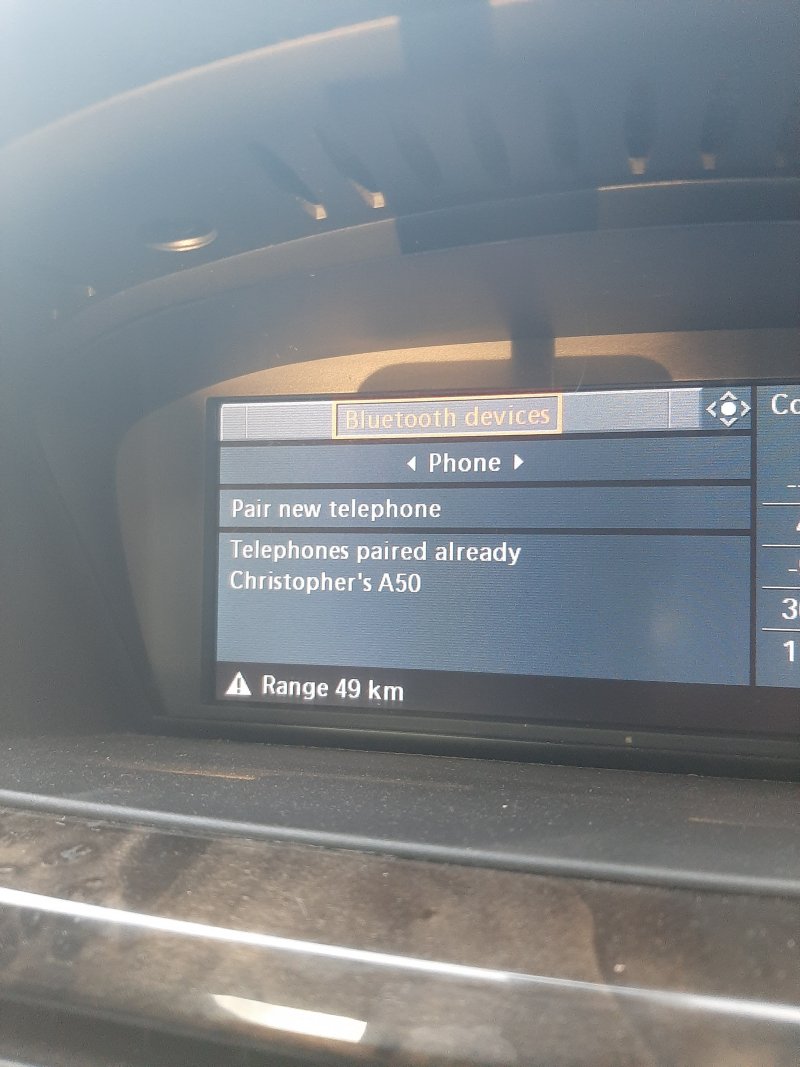
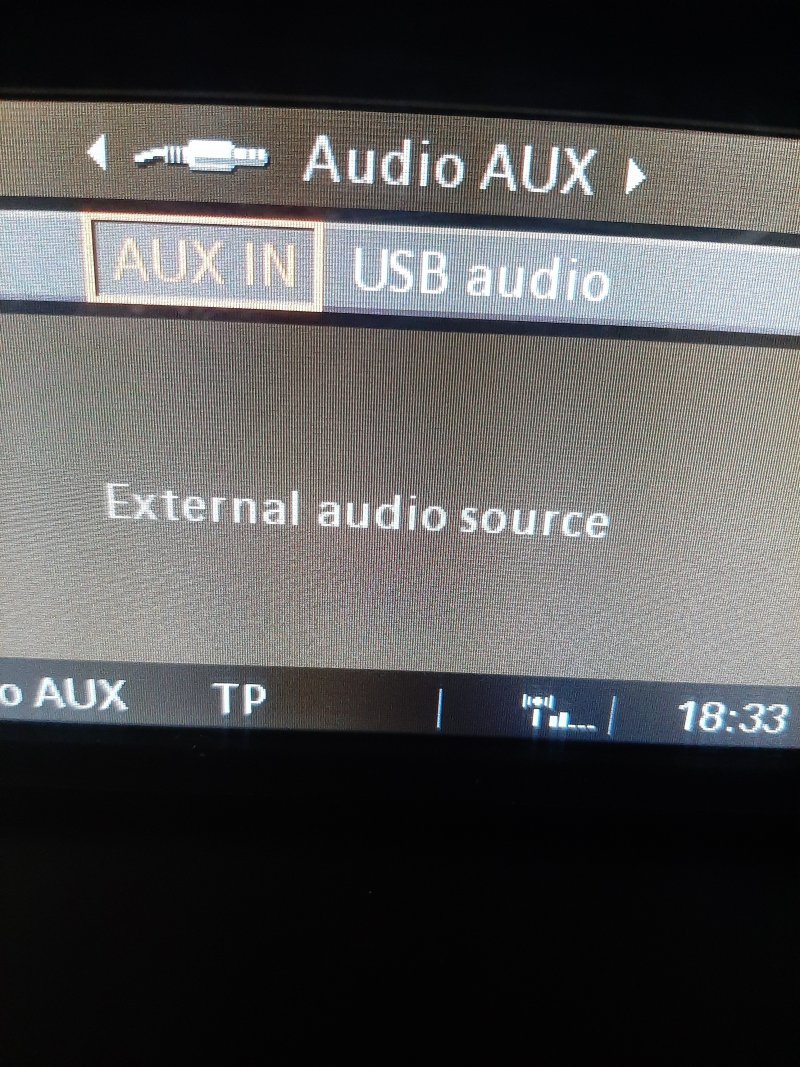
yes i am still using the mulf, so more good news, Bluetooth is now working, i paired my phone and it works great, a friend assisted me with coding the Mulf to the car with his Autohex, bad news is the USB is not working, if i got to the AUX menu the USB option is grey whereas the AUX option is sort of orange, are the USB port cables all the same or could they be different between models, i am not certain which model of bmw the cable is from.
 

Attachments

  • 20230328_171153.jpg
    20230328_171153.jpg
    1.6 MB · Views: 5
  • 20230328_183354.jpg
    20230328_183354.jpg
    3 MB · Views: 5
Top